
Product
One workspace for all your DPDP work
From the first intake question to a delivered assessment, with the registers, evidence and risk work in between.
See the dashboard
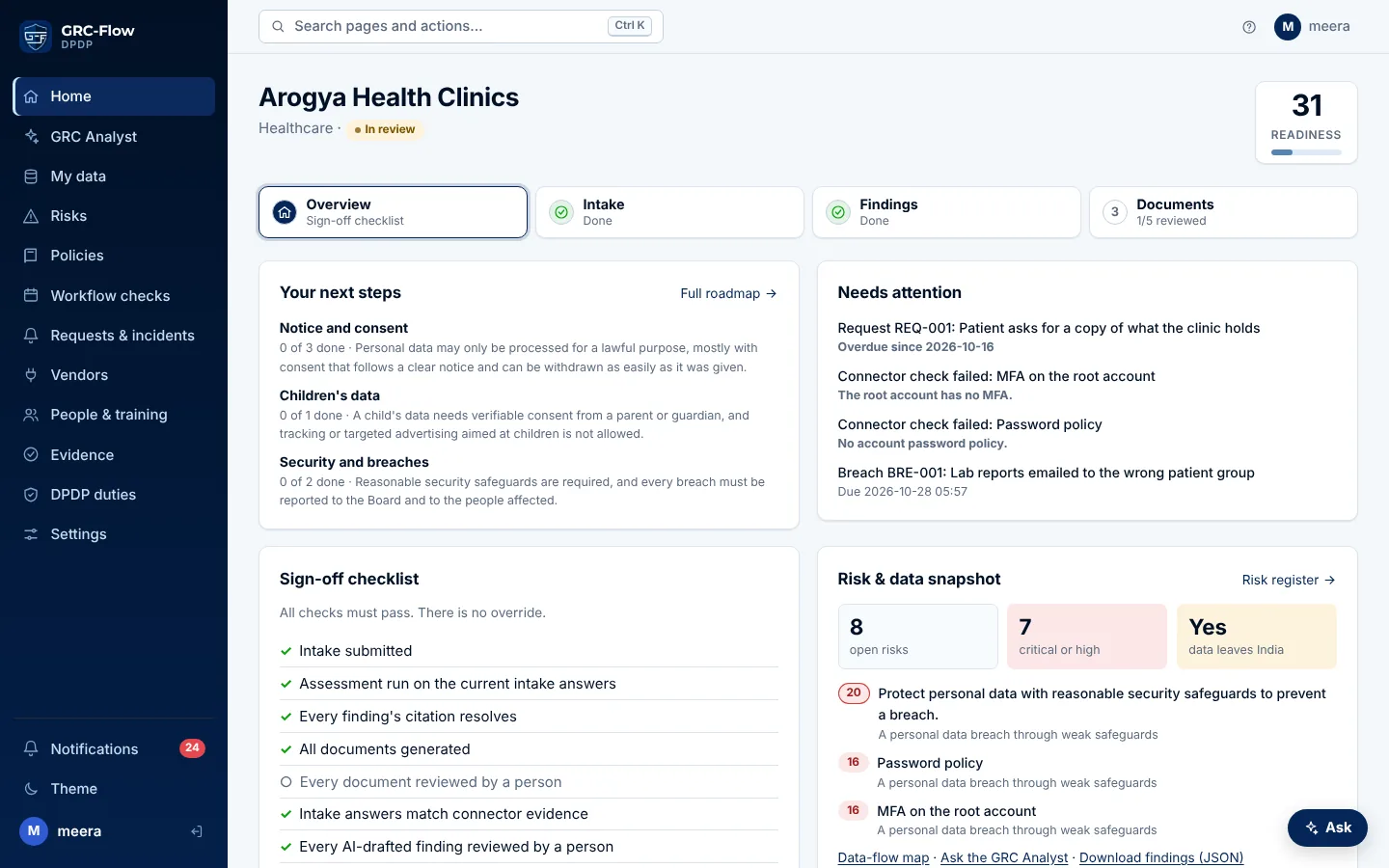
What your team sees, screen by screen. These are real screens from the app, shown with a sample company.
Your next steps, what needs attention today, your readiness score and your risks at a glance.
The assessment workflow
- 1
Intake
Business-language questions about your company. Follow-ups appear only when they're relevant, like parental consent for an EdTech company.
- 2
Findings
A rule-based assessment gives one finding per obligation. Each finding's citation is checked against the text of the Act and Rules.
- 3
Documents
Gap report, RoPA, privacy notice, breach playbook and a draft DPA for your lawyer. A person reviews each one before it can be downloaded as .docx.
- 4
Delivery
Blocked until every check passes. There is no override, so nothing half-finished is signed off.
How GRC-Flow works
From setup to compliant, in eight steps
The AI drafts and checks. A person decides. Watch one assessment go through, or pick any step.
Step 1 of 8
Set up your team
- You
- Invite colleagues as admin, member or viewer.
- GRC-Flow
- Gives each person only the access their role needs, and logs every action.
- You get
- A secure shared workspace instead of files on personal laptops.
Agent activityXYZ Company
- Person: Priya from legal added as a manager
- Update: Viewer access for your auditor: read-only
- Passed: Action sealed in the audit log (#1042)
Feature by feature
GRC-Flow follows one cycle: assess, fix, document, prove. Pick a stage to see how it works.
Assess
Find out where a business stands, with every finding tied to the Act.
- AI agents for DPDP complianceA lead and four specialists: Law Mapper, Data Mapper, Gap Fixer, Evidence Checker.
- AI GRC AnalystAsk about your DPDP work and get an answer with the provision behind it.
- Personal data discoveryScan an export for Aadhaar, PAN, phone numbers and children's data.
- Risk register and data-flow mapEvery gap scored by likelihood and impact; every flow leaving India flagged.
Fix
Run the day-to-day work the Act expects: requests, consent, breaches, vendors, people.
- DPDP compliance registersConsent, rights requests, breaches, vendors, DPIAs and policies.
- Consent OSConsent on every channel, Aadhaar and PAN purposes, parents' consent, and proof of every choice.
- Trust page, rights requests and vendorsA public trust page with a request form, and vendor due diligence by link.
- Evidence connectorsRead-only checks on AWS, GitHub, Google Cloud, Azure, Entra ID and more.
- Tasks, DPO and Grievance OfficerEverything open in one list with a Fix it link, and the two DPDP roles assigned.
- DPDP training for employeesComing soonShort lessons and quizzes for every employee, with a record of who passed.
Document
Turn the work into the documents a business has to keep.
Prove
Show a customer, an auditor or the Board that it all holds up.
- Evidence and audit logFiles behind every control, and a log an auditor can verify.
- Customer questionnaires and Board inquiry packAnswer customers' privacy questionnaires from your records, and hand the Board everything in one file.
- What DPDP compliance takesThe duties, the 13 May 2027 deadline and the penalties.
- Security and hosting in IndiaHosted in Mumbai, security reviewed, built to the rules it checks.
- Why choose GRC-FlowThe whole Act in one place, compared with the other ways to get ready.
Across the workspace
- DashboardWhat needs attention, your readiness, top risks and recent activity.
- Work queueEverything open across your team, most urgent first.
- GRC AnalystAnswers questions about your DPDP work from live workspace data, citing the Act and Rules. Read-only.
- Data flowsA map of where your personal data goes, with flows leaving India flagged.
- ConnectorsRead-only checks on code hosting, cloud (AWS, Google Cloud, Azure) and Microsoft 365 sign-ins that back findings with evidence.
- CorpusThe text of the DPDP Act and Rules that every citation is checked against.
- Team and rolesAdmins, members and read-only viewers.
- Audit logEvery change, who made it and when.
- Search and shortcutsCtrl K to jump to any page or action, and keyboard shortcuts for the common ones.